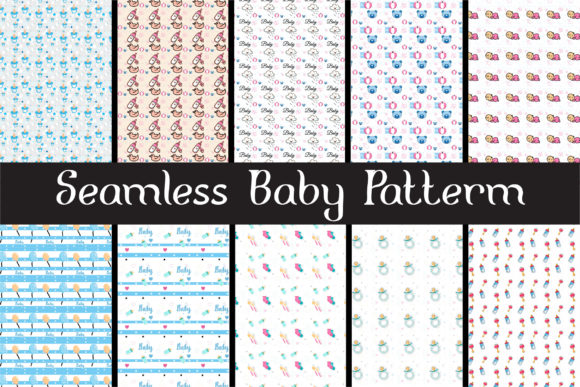
Seamless Baby Pattern: A Practical Resource for Designers and Creators
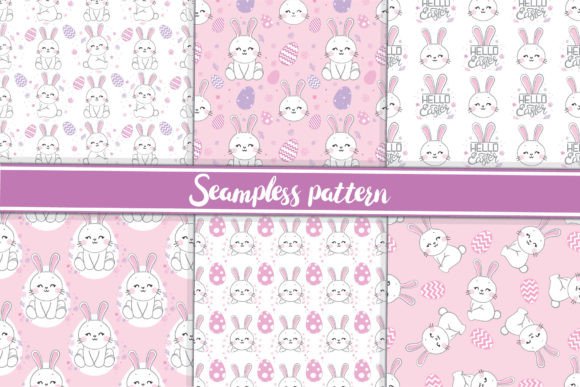
Seamless Baby Pattern is a curated set of ten original, hand-crafted seamless designs—each created with soft curves, gentle motifs, and subtle rhythm to support themes of care, growth, and tenderness. Unlike generic clipart or overused stock textures, these patterns are built from the ground up for visual cohesion and functional flexibility. They’re not just decorative; they’re workflow-ready assets that integrate cleanly into branding, print production, digital publishing, and product development.
What makes this collection distinct is its dual-layer structure: each pattern comes in both base and overlay versions. The base version stands alone as a complete, balanced design. The overlay version is intentionally transparent and low-contrast—designed to sit atop your own background textures, gradients, or photography without competing for attention. This layering approach gives creators precise control over tone, depth, and context—without needing advanced masking or blending skills.
How Seamless Baby Pattern Fits Into Real Creative Workflows
Design isn’t linear—it’s iterative, contextual, and often constrained by time, tools, and audience expectations. Seamless Baby Pattern supports multiple stages of that process, depending on your role and goals.
For freelancers pitching baby-related brand identities, these patterns serve as rapid visual anchors during early mood board development. You can drop an overlay onto a client’s existing color palette or photo library to demonstrate how their brand voice translates into tactile, warm visuals—before committing to custom illustration.
Small business owners launching organic baby clothing lines use the vector files (.AI, .EPS, .SVG) to scale patterns seamlessly across garment mockups, hang tags, and packaging prototypes. Because all files are 3600×3600 px JPGs and fully editable vectors, there’s no pixelation when resizing for web banners or embroidery digitizing software.
Educators and bloggers building printable resources—like milestone cards, developmental trackers, or nursery wall art—rely on the high-resolution JPGs for crisp small-format printing (e.g., 4×6 inch cards), while using SVGs for browser-based interactive PDFs that retain sharp edges on any device.
Compatibility and Integration Across Tools and Platforms
These files are designed to move fluidly between environments—not locked into one ecosystem. The .AI and .EPS files open natively in Adobe Illustrator and Affinity Designer. The .PDF versions preserve layers and transparency for use in Canva Pro or InDesign layouts. The .SVG files embed cleanly into WordPress themes, email templates, and Figma design systems—especially useful for teams maintaining consistent UI components across parent-facing apps or learning portals.
Because overlays are built with neutral luminance values and minimal saturation shifts, they work predictably over photos taken with smartphones, studio lighting, or even scanned watercolor paper. You don’t need to adjust blend modes manually—the transparency is calibrated to respond naturally to underlying tones.
If you’re using Photoshop for compositing, place the overlay as a new layer above your background, set blend mode to “Soft Light” or “Overlay,” and adjust opacity between 30–60% based on contrast needs. In Illustrator, use the Transparency panel to apply Multiply or Screen modes directly—no rasterization required.
Preparation Tips Before You Begin
- Organize by use case first, not format. Create folders labeled “Print,” “Web,” and “Mockup”—then copy relevant files into each. Avoid keeping all 50+ files in one directory; it slows down asset retrieval during tight deadlines.
- Test overlays at actual output size. Preview how a pattern reads at 2×2 inches (for labels) and 24×36 inches (for posters) before finalizing layouts. Some motifs hold clarity better than others at extreme scales.
- Check color profiles. All JPGs are sRGB for screen accuracy. For CMYK print jobs, convert your working document—not the pattern file—to avoid unintended hue shifts during preflight.
Long-Term Usability and Quality Control
These patterns were built for reuse—not one-off projects. That means consistency matters more than novelty. Each design avoids overly specific iconography (e.g., no pacifiers or strollers) so it remains appropriate across cultural contexts, age ranges (newborn through toddler), and product categories (apparel, books, toys, wellness services).
To maintain quality across iterations, treat overlays like typography: establish rules for how many layers you’ll stack (one overlay max per composition), minimum spacing between motif repeats (never less than 12 px in digital, 1/8 inch in print), and contrast thresholds (text must remain legible over any applied overlay).
Version control is simple here—you own all files outright. No subscriptions, no expiring licenses, no attribution requirements. That means you can archive them alongside your brand guidelines, include them in team onboarding kits, or bundle them into client deliverables without legal review.
Workflow Example: From Concept to Printed Product
- You’re designing a line of reusable cloth wipes for a sustainable parenting startup.
- You begin by selecting three Seamless Baby Pattern overlays that echo the brand’s earthy palette—soft moss, oatmeal, and clay.
- You apply each overlay to fabric swatch photos in Photoshop, adjusting opacity until texture reads as subtle but present.
- You export those composites as JPGs for the Shopify product page, then pull the matching .SVGs into Figma to build responsive packaging mockups.
- For the manufacturer’s tech pack, you supply the .AI file with crop marks and Pantone references embedded—ensuring accurate dye sublimation on cotton blends.
This sequence takes under 90 minutes because the asset structure eliminates guesswork: no hunting for repeatable tiles, no rebuilding grids, no licensing back-and-forth. It’s execution, not setup.
Making the Most of the Free Vector Graphics Package
The full download includes 10 JPGs (3600×3600 px), plus 10 each of .EPS, .AI, .PDF, and .SVG files—one per pattern. That breadth ensures you’re never blocked by software limitations or delivery requirements. Need a vector for laser-cut wood signage? Use the .EPS. Building an animated SVG loader for a prenatal app? Pull the .SVG. Preparing press-ready PDFs for a boutique printer? The layered .PDFs retain transparency and fonts.
Don’t assume “free” means “limited.” These files were created with commercial-grade precision: aligned anchor points, clean Bézier curves, optimized path counts, and consistent naming conventions (e.g., “baby-pattern-07-overlay.svg”). That attention to detail reduces troubleshooting time later—whether you’re handing off to a developer, uploading to Printful, or archiving for future rebranding.
Finally, remember that seamless doesn’t mean static. These patterns gain strength when paired with intentional decisions elsewhere: thoughtful typography, restrained color application, and purposeful white space. Let the Seamless Baby Pattern handle repetition and rhythm—so you can focus on meaning, message, and human connection.